
Anúncios
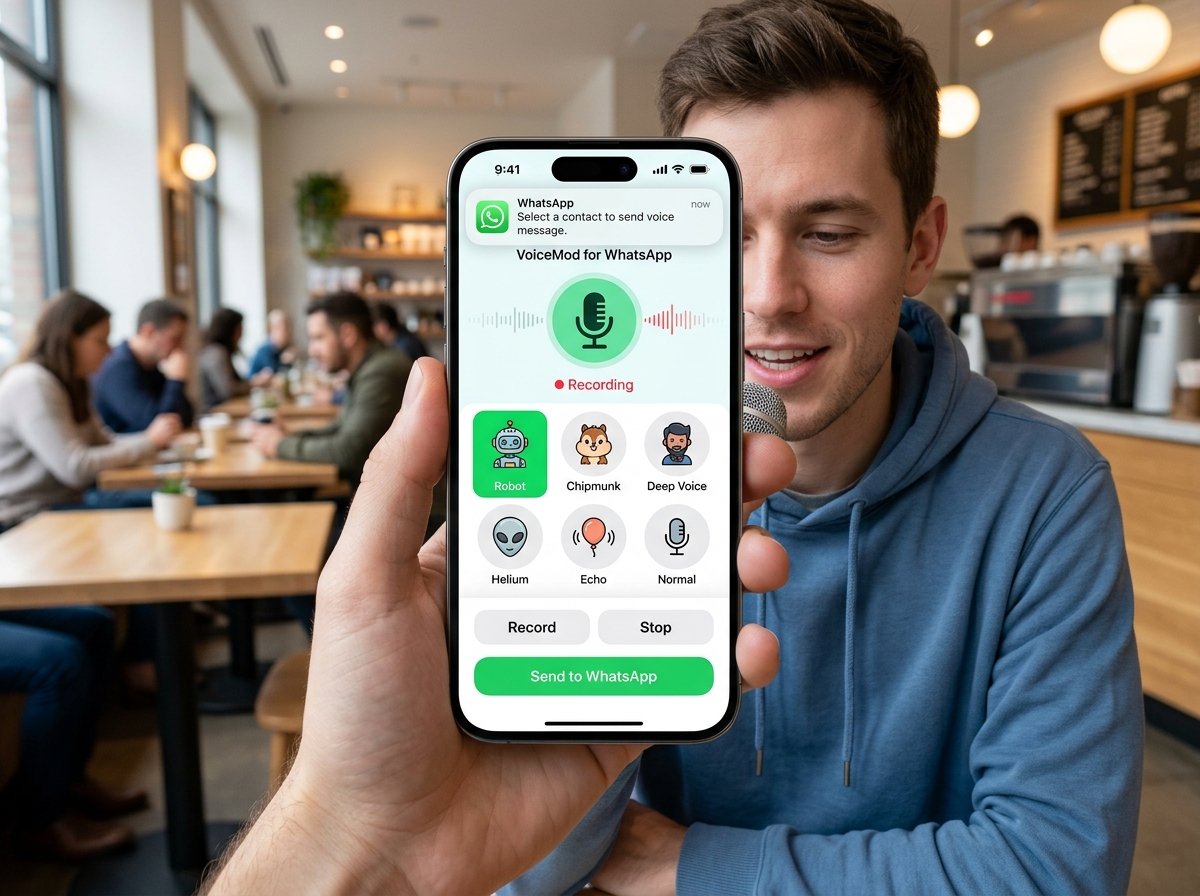
Want to add some fun to your WhatsApp conversations? Using voice-changing apps can transform your audio messages into something hilarious, creative, or completely anonymous.

Voice changers have become incredibly popular among WhatsApp users who want to spice up their messaging experience. Whether you’re planning a harmless prank on friends, creating content for social media, or simply exploring creative ways to communicate, these apps offer endless possibilities.
Anúncios
The technology behind voice modification has advanced significantly in recent years. What once required expensive studio equipment can now be done directly from your smartphone with just a few taps. Let’s explore everything you need to know about changing your voice on WhatsApp.
🎭 Why People Love Using Voice Changers on WhatsApp
Voice-changing applications have carved out a unique niche in the messaging world. They’re not just about altering how you sound—they’re about expressing yourself in entirely new ways that text and regular voice notes simply can’t match.
Anúncios


Many users discover these apps while looking for entertainment options. The ability to sound like a robot, a chipmunk, or even Darth Vader adds an element of surprise and humor to everyday conversations. Family group chats become more lively, and friend circles find new ways to laugh together.
Privacy is another compelling reason people turn to voice modifiers. Some individuals prefer not to use their real voice in certain situations, whether for online gaming communities, anonymous reporting, or protecting their identity in sensitive conversations.
Content creators have also embraced voice-changing technology. Podcasters, YouTubers, and social media influencers use these tools to create characters, narrate stories, or add production value to their content without hiring voice actors.
📱 How Voice Changing Apps Actually Work
The technology behind voice modification is fascinating yet surprisingly accessible. These applications use digital signal processing algorithms to analyze and manipulate the frequency, pitch, and tone of your recorded audio in real-time or post-recording.
When you speak into your device, the app captures the audio signal and applies mathematical transformations. Pitch shifting raises or lowers the fundamental frequency of your voice, making you sound younger or older, male or female, or completely unnatural like a cartoon character.
Advanced apps also incorporate formant shifting, which adjusts the resonant frequencies that give your voice its unique character. This allows for more realistic transformations that maintain speech clarity while changing the overall tone.
Some applications include echo effects, reverb, background noise, and other audio enhancements. These features create immersive experiences, making it sound like you’re in a cave, speaking through a telephone, or broadcasting from outer space.
🌟 Top Features to Look for in Voice Changer Apps
Not all voice-changing applications are created equal. When selecting the right tool for your WhatsApp adventures, certain features significantly enhance the user experience and output quality.
Real-time voice changing capability stands out as a premium feature. This allows you to hear your modified voice as you speak, giving you immediate feedback and control over the final result before sending it to your contacts.
A diverse library of voice effects and presets is essential. The best apps offer dozens of options ranging from realistic age and gender changes to fantastical effects like aliens, monsters, and famous character impressions.
Audio quality preservation matters tremendously. Cheaper or poorly designed apps might distort your voice beyond recognition or introduce unpleasant artifacts that make the recording difficult to understand.
User-friendly interfaces make the difference between frustration and fun. Intuitive controls, clear labeling, and straightforward recording and sharing processes ensure that even technology novices can enjoy these apps.

🎤 Step-by-Step Guide to Changing Your Voice on WhatsApp
Getting started with voice modification on WhatsApp is remarkably straightforward once you understand the basic workflow. The process involves recording, modifying, and then sharing your transformed audio through the messaging platform.
First, download and install a reputable voice changer app from your device’s app store. Grant the necessary permissions for microphone access and file storage when prompted. These permissions are essential for the app to function properly.
Open the voice changer application and familiarize yourself with its interface. Most apps display their available effects prominently, often with playful icons or names that hint at how each effect sounds.
Record your message directly within the voice changer app. Speak clearly and at a normal pace—the app will handle the transformation. Some applications allow you to import existing audio files if you’ve already recorded something.
Select your desired voice effect from the available options. Preview the result to ensure it sounds exactly how you want it. Many apps let you adjust intensity sliders to fine-tune the effect strength.
Once satisfied with your modified voice recording, save the audio file to your device. Then open WhatsApp, navigate to the conversation where you want to send the message, and use the attachment option to select and send your modified audio file.
😂 Creative Ways to Use Voice Changers with Friends
The entertainment value of voice-changing apps extends far beyond simple pranks. Creative users have discovered countless ways to make their WhatsApp interactions more memorable and enjoyable.
Birthday surprises become extra special when you send a deep, dramatic voice singing “Happy Birthday” or a chipmunk version that’s impossible not to smile at. These unexpected twists turn ordinary well-wishes into cherished memories.
Storytelling reaches new heights when you can voice different characters in audio messages. Parents entertaining their children or friends sharing anecdotes can give each character a distinct voice, creating immersive narrative experiences.
Group challenges add competitive fun to friend circles. Someone proposes a phrase, and everyone must record it with the most ridiculous voice effect they can find. The results often lead to contagious laughter and friendly competition.
Mystery games work wonderfully with voice modifiers. One person sends clues or riddles in a disguised voice, and others must guess who’s speaking or solve the puzzle, adding an element of intrigue to regular messaging.
🔒 Privacy and Safety Considerations
While voice-changing apps offer tremendous fun, responsible usage requires awareness of privacy implications and ethical boundaries. Understanding these considerations ensures you enjoy the technology without crossing important lines.
Always obtain consent before recording conversations or sharing modified audio that includes other people’s voices. Some jurisdictions have strict laws about recording and distributing audio without permission, and violating these can have serious consequences.
Avoid using voice changers for deceptive purposes that could harm others. Impersonating someone to spread misinformation, scam people, or damage reputations crosses ethical and often legal boundaries.
Be mindful of the apps you choose to install. Reputable voice changers clearly state their privacy policies and don’t request unnecessary permissions. Avoid applications that ask for access to your contacts, messages, or other sensitive data unrelated to voice recording.
Consider the context of your pranks carefully. What seems funny to you might genuinely upset or frighten someone else. Gauge your audience and ensure your voice-changing adventures remain lighthearted and welcome.
🎨 Professional Uses Beyond Entertainment
Voice-changing technology has legitimate professional applications that extend well beyond pranks and personal entertainment. Many industries have discovered valuable uses for these tools in their daily operations.
Voice actors and performers use these apps for auditioning purposes. They can demonstrate range and versatility by quickly switching between character voices, creating demo reels that showcase multiple personas without hiring additional talent.
Educators have found creative applications in making learning materials more engaging. Teachers can create audio lessons where historical figures “speak” to students or animate different characters in educational stories, boosting engagement and retention.
Journalists and investigators sometimes need to protect source identities. Voice modification provides an additional layer of anonymity for whistleblowers and confidential sources participating in recorded interviews or testimonies.
Musicians and producers incorporate voice effects into their artistic work. What starts as a simple mobile app can inspire entire musical projects or become a signature element in a performer’s unique sound.
💡 Tips for Getting the Best Results
Maximizing the quality and effectiveness of your voice-changed recordings requires attention to several technical and practical factors. These tips help ensure your audio messages sound exactly how you intend.
Recording environment matters significantly. Find a quiet space with minimal background noise. Ambient sounds like traffic, air conditioning, or conversations can interfere with the voice modification process and reduce clarity.
Microphone placement affects audio quality dramatically. Hold your device at a consistent distance from your mouth—usually about six inches works well. Too close causes distortion, while too far results in weak, unclear audio.
Speak with clear enunciation and moderate pacing. Voice changers work best when they have clean, understandable source audio. Mumbling or speaking too quickly can produce garbled results even with the best effects applied.
Experiment with effect intensity settings. Many apps allow you to adjust how dramatically the voice is changed. Subtle modifications often sound more natural and professional, while extreme settings create obvious, comedic effects.
Preview before sending. Always listen to your modified recording at least once before sharing it. This simple step prevents embarrassing mistakes and ensures the message conveys what you intended.
🌐 Compatibility and Technical Requirements
Understanding the technical aspects of voice-changing apps helps you choose compatible options and troubleshoot potential issues. These applications generally have modest requirements but some specifications are worth knowing.
Most modern smartphones easily handle voice-changing software. Android devices running version 5.0 or higher and iPhones with iOS 11 or newer typically support these applications without performance issues.
Storage space requirements vary by app. Basic voice changers might only need 20-50 MB, while feature-rich applications with extensive effect libraries could require 100-200 MB or more. Check available space before downloading.
Processing power affects real-time voice changing capabilities. Budget smartphones might experience slight delays or limitations with advanced real-time features, though basic recording and modifying functions typically work smoothly on all devices.
WhatsApp itself supports audio files in various formats including MP3, AAC, and WAV. Most voice changer apps export in compatible formats, but occasionally you might need a separate audio converter if compatibility issues arise.
🚀 Advanced Features in Premium Applications
While many excellent free voice changers exist, premium versions offer enhanced capabilities that serious users and content creators often find worth the investment. These advanced features unlock new creative possibilities.
Custom voice creation stands out as a premium feature. Instead of using preset effects, advanced apps let you design completely unique voices by adjusting multiple parameters including pitch, formant, speed, and resonance independently.
Background scene integration adds environmental context to your recordings. Premium apps include libraries of ambient sounds—cafés, airports, forests, or offices—that make it seem like you’re calling from different locations.
Audio file editing tools within the app eliminate the need for separate editing software. Trim recordings, adjust volume levels, apply filters, and even mix multiple audio tracks together without leaving the application.
Batch processing capabilities benefit users who regularly create voice-modified content. Apply the same effect to multiple recordings simultaneously, saving considerable time for content creators and professionals.
🎯 Troubleshooting Common Issues
Even with user-friendly applications, occasional technical difficulties arise. Knowing how to address common problems ensures smooth operation and prevents frustration when you’re eager to share that perfect modified voice message.
If your voice sounds robotic or distorted beyond recognition, the effect intensity might be set too high. Reduce the strength of the applied effect through the app’s settings or slider controls for more natural results.
Audio that fails to export or share typically indicates file format issues or insufficient storage space. Check your device’s available storage and ensure the app has proper permissions to save files to your device.
When WhatsApp won’t play your modified audio, the file might be corrupted or in an unsupported format. Try re-exporting from the voice changer app, or use a file conversion tool to change the format to MP3.
Apps that crash during recording often lack sufficient RAM or have conflicts with other running applications. Close unnecessary background apps and restart your device if performance issues persist.
🌈 The Future of Voice Modification Technology
Voice-changing technology continues evolving rapidly, with artificial intelligence and machine learning driving exciting new capabilities. The future promises even more impressive and accessible tools for everyday users.
AI-powered voice cloning is becoming increasingly sophisticated. Future applications might let you create a voice model of any person (with permission) and have it say anything you type, opening fascinating possibilities for personalization and accessibility.
Real-time translation combined with voice changing could soon allow you to speak in your native language while having your voice messages automatically translated and delivered in another language with natural-sounding pronunciation.
Emotion modification represents an emerging frontier. Imagine recording a message in a neutral tone and then applying “excitement,” “sadness,” or “confidence” as easily as you currently apply robot or helium effects.
Integration with augmented reality platforms might create holographic communication where your modified voice accompanies a customized avatar, blending audio and visual transformations for truly immersive messaging experiences.
✨ Making the Most of Your Voice Changing Experience
Embracing voice-changing apps on WhatsApp opens doors to creativity, entertainment, and new forms of expression. The key to maximizing enjoyment lies in balancing fun with respect and exploring the technology’s full potential.
Start with simple effects and gradually experiment with more complex modifications. This learning curve helps you understand what works well for different contexts and develops your intuition for creating engaging audio messages.
Share your creations thoughtfully. The best voice-changed messages enhance conversations and bring joy to recipients. Consider your audience’s sense of humor and preferences when selecting effects and crafting messages.
Stay updated on new features and effects. Developers regularly release updates with fresh voice options, improved quality, and innovative capabilities. Periodically exploring your app’s latest offerings keeps your messages fresh and surprising.
Remember that technology serves human connection. Voice changers are tools for enhancing relationships, sparking laughter, and expressing creativity—not replacing genuine communication. Use them to complement your authentic self rather than hide behind constant modifications.
Whether you’re looking to entertain friends, protect your privacy, or explore creative expression, voice-changing apps offer remarkable versatility. With the right application and thoughtful usage, you can transform ordinary WhatsApp conversations into memorable experiences that bring smiles and strengthen connections. Download a voice changer today and discover just how much fun altering your voice can be! 🎉
