
Anúncios
Walkie-talkie apps have revolutionized instant communication, bringing the classic push-to-talk experience directly to your smartphone with powerful features and global reach.

Remember the days when walkie-talkies were bulky devices reserved for security personnel, construction workers, and adventurous kids playing in the neighborhood? Those times have evolved dramatically. Today’s walkie-talkie applications transform any smartphone into a sophisticated communication device that combines the simplicity of push-to-talk with modern technology’s power.
Anúncios
Whether you’re coordinating a team at work, organizing a group hiking trip, or simply staying connected with friends during events, walkie-talkie apps offer an intuitive and efficient communication solution. They eliminate the need for expensive hardware while providing features that traditional devices could never match, like unlimited range over internet connections, multimedia sharing, and group management tools. 📱
What Makes Walkie-Talkie Apps Different from Regular Messaging
The fundamental distinction between walkie-talkie applications and conventional messaging platforms lies in their communication philosophy. While traditional messaging apps focus on asynchronous text-based conversations, walkie-talkie apps prioritize instant voice communication with minimal friction.
Anúncios


When you press the talk button on a walkie-talkie app, your voice transmits immediately to recipients without dialing, waiting for connection, or navigating through menus. This push-to-talk (PTT) functionality creates a communication experience that feels more immediate and natural than typing messages or placing phone calls.
The audio messages in walkie-talkie apps are typically live or near-live, meaning recipients hear your voice as you speak or within milliseconds of completion. This creates a conversational flow that’s perfect for quick updates, urgent situations, or environments where typing isn’t practical.
Another significant difference is the broadcasting capability. With a single button press, you can communicate with multiple people simultaneously, making these apps ideal for team coordination and group activities where everyone needs to receive the same information at once. 🎯
Top Features to Look for in Quality Walkie-Talkie Applications
Not all walkie-talkie apps are created equal. The best applications incorporate specific features that enhance usability, reliability, and overall communication quality.
Crystal Clear Audio Quality
Audio clarity is paramount in any communication tool. Premium walkie-talkie apps utilize advanced audio codecs that compress voice data efficiently while maintaining exceptional clarity. Look for apps that offer noise cancellation features, which filter out background sounds and ensure your message comes through clearly even in noisy environments.
Some applications also provide adjustable audio quality settings, allowing you to balance between clarity and data consumption based on your connectivity situation.
Channel and Group Management
Effective organization features separate good apps from great ones. The ability to create multiple channels for different purposes—such as separate channels for work teams, family groups, or hobby communities—keeps conversations organized and relevant.
Advanced apps offer privacy controls for channels, allowing you to create open public channels, invite-only private groups, or password-protected spaces. User management features like the ability to mute specific participants, assign moderator roles, or remove disruptive users contribute to maintaining productive communication environments.
Location Sharing and Tracking
Many modern walkie-talkie applications integrate GPS functionality, enabling real-time location sharing among group members. This feature proves invaluable during outdoor adventures, emergency situations, or coordinating teams spread across large areas like warehouses or event venues. 🗺️
Offline and Low-Bandwidth Performance
The best walkie-talkie apps function reliably even under challenging connectivity conditions. Look for applications that offer offline messaging queues (messages send automatically when connection is restored), adaptive bitrate streaming that adjusts quality based on available bandwidth, and efficient data compression that minimizes consumption.
Popular Use Cases Transforming Communication
Walkie-talkie applications have found adoption across diverse scenarios, each benefiting from the instant, hands-free communication they provide.
Business and Professional Coordination
Companies across industries have embraced walkie-talkie apps to streamline internal communication. Retail stores use them to coordinate between floor staff and stockrooms. Restaurants employ them for front-of-house and kitchen communication. Event management teams rely on them to synchronize activities across large venues.
The efficiency gains are substantial. Instead of lengthy phone calls or delayed text messages, team members can quickly share updates, request assistance, or alert others to situations requiring immediate attention. The group broadcasting feature means managers can disseminate information to entire teams instantly.
Outdoor Adventures and Recreation
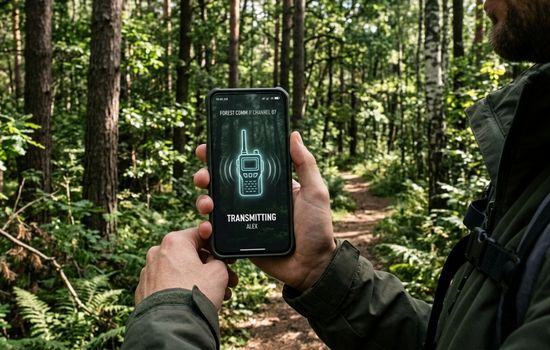
Hikers, campers, skiers, and outdoor enthusiasts have adopted walkie-talkie apps as essential safety and coordination tools. When exploring areas with cellular coverage, these apps provide reliable communication without carrying separate walkie-talkie hardware.
The location-sharing features add a safety dimension, allowing group members to track each other’s positions and quickly locate anyone who becomes separated. Many outdoor enthusiasts create permanent channels for their regular adventure groups, building communication networks that activate whenever the group gathers. ⛰️
Emergency and Crisis Communication
During natural disasters or emergencies when cellular networks become congested, walkie-talkie apps operating over WiFi or data connections can provide crucial communication channels. Emergency response volunteers, neighborhood watch groups, and community organizations use these platforms to coordinate assistance and share critical information.
The ability to quickly establish communication networks without complex setup procedures makes these apps valuable tools in crisis situations where traditional communication infrastructure may be compromised or overwhelmed.
Family and Social Connections
Families have discovered walkie-talkie apps as fun, engaging ways to stay connected. Parents use them to communicate with children in different rooms or playing outside. Extended families create channels for quick check-ins and casual conversations that feel more personal than text messages.
The spontaneous nature of push-to-talk communication brings a playful element that resonates particularly well with younger family members who enjoy the walkie-talkie experience. 👨👩👧👦
Understanding Privacy and Security Considerations
When selecting a walkie-talkie app, understanding its security architecture is essential, especially if you’ll be communicating sensitive information or coordinating business activities.
End-to-end encryption ensures that only intended recipients can hear your messages. This encryption means that even if data is intercepted during transmission, it remains unintelligible to unauthorized parties. Verify whether the app you’re considering implements this protection and whether it’s enabled by default or requires activation.
Data storage policies matter significantly. Some apps store voice messages on their servers for various durations, while others delete them immediately after delivery. Understanding what data is retained, where it’s stored, and who can access it helps you make informed decisions about which app aligns with your privacy expectations.
Account security features like two-factor authentication, strong password requirements, and session management provide additional protection layers. If you’re managing channels with sensitive information, these features become particularly important.
Comparing Top Walkie-Talkie Applications
Several walkie-talkie apps have established themselves as leaders in the space, each offering distinct features and advantages.
Zello: The Industry Standard
Zello has become virtually synonymous with walkie-talkie apps, boasting tens of millions of users worldwide. Its popularity stems from reliable performance, intuitive interface, and robust feature set. The app supports both public and private channels, offers excellent audio quality, includes location sharing, and works across iOS, Android, and even Windows platforms.
Zello’s replay feature allows users to listen to missed messages, and its history function provides access to recent communications. The app performs well even on slower connections, making it dependable across various network conditions. 🏆
Voxer: Hybrid Communication Approach
Voxer distinguishes itself by combining walkie-talkie functionality with traditional messaging features. Users can send voice messages in walkie-talkie mode or record and send them for playback later, similar to voice notes. The app also supports text messaging, photo sharing, and location sharing within the same platform.
This hybrid approach appeals to users who want flexibility in communication methods. The app includes a “live listen” feature that allows recipients to hear messages as they’re being recorded, creating a truly live communication experience.
Two Way: Simplicity Focused
Two Way prioritizes simplicity and ease of use, making it ideal for users who want straightforward push-to-talk functionality without complex features. The app creates instant connections between contacts with minimal setup, and its clean interface removes any learning curve.
While it may lack some advanced features found in competitors, Two Way excels at its core function: providing reliable, instant voice communication with the people you contact most frequently.
Maximizing Battery Life During Extended Use
Walkie-talkie apps can drain battery more quickly than passive applications due to their constant connectivity and audio processing requirements. Implementing smart usage practices helps extend battery life during long shifts or extended outdoor adventures.
Most quality apps include battery optimization features. Enable power-saving modes that reduce background activity when the app isn’t actively in use. Some applications offer adjustable sync intervals that control how frequently the app checks for messages, with less frequent checks consuming less power.
Audio quality settings impact battery consumption significantly. If you’re in a situation where maximum battery conservation is necessary, reducing audio quality slightly can extend operational time substantially without severely compromising communication effectiveness.
Consider carrying portable battery packs if you anticipate extended usage, especially during outdoor activities or long work shifts where charging opportunities are limited. Many users find that a small portable charger provides peace of mind and ensures their communication lifeline remains active throughout the day. 🔋
Integration with Other Devices and Platforms
The ecosystem surrounding walkie-talkie apps has expanded beyond smartphones, with many applications now supporting various devices and platforms.
Desktop applications allow you to participate in walkie-talkie communications from your computer, which is particularly useful in work environments where you’re already at a desk. The desktop experience typically offers additional features like better channel management interfaces and easier access to history and settings.
Some walkie-talkie apps support smartwatches, enabling you to receive notifications and even transmit messages directly from your wrist. This hands-free capability proves especially valuable during activities where accessing your phone is inconvenient or unsafe.
Bluetooth accessory support enhances the walkie-talkie experience further. PTT buttons that clip to clothing or steering wheels, remote speaker microphones, and wireless earpieces create experiences approaching professional radio communication systems while retaining the app’s flexibility and features.
Troubleshooting Common Issues
Even the best walkie-talkie apps occasionally encounter problems. Understanding common issues and their solutions ensures smooth communication when you need it most.
Audio Quality Problems
If recipients report choppy, distorted, or unclear audio, first check your internet connection strength. Walkie-talkie apps require stable connectivity for optimal performance. Switch between WiFi and cellular data to determine if one provides better results in your location.
Microphone issues can also affect audio quality. Ensure your phone’s microphone isn’t blocked by a case or cover, and check that the app has proper microphone permissions in your device settings. Sometimes, simply restarting the app resolves temporary audio glitches. 🎤
Notification and Alert Issues
Missing messages often results from notification settings rather than app problems. Verify that notifications are enabled for the walkie-talkie app in your device’s system settings. Some phones implement aggressive battery optimization that prevents apps from running in the background; adding your walkie-talkie app to battery optimization exceptions usually resolves this.
If you’re using multiple communication apps, ensure notification sounds are distinctive so you can immediately recognize walkie-talkie messages. Customizing ringtones and vibration patterns helps you differentiate between apps without checking your screen.
Connection and Sync Problems
Connection issues manifest as delays in receiving messages, inability to transmit, or app crashes. Updating to the latest app version often resolves such problems, as developers continuously improve stability and compatibility.
Network firewall restrictions can interfere with walkie-talkie apps, particularly on corporate or institutional WiFi networks. If you experience consistent connection problems on specific networks, contact network administrators to ensure necessary ports aren’t blocked.
Future Developments in Push-to-Talk Technology
The walkie-talkie app landscape continues evolving, with emerging technologies promising to enhance communication capabilities further.
Artificial intelligence integration is beginning to appear in communication apps, offering features like automatic transcription of voice messages, real-time translation for multilingual teams, and intelligent noise filtering that goes beyond traditional noise cancellation.
5G networks will dramatically improve walkie-talkie app performance, reducing latency to near-zero levels and enabling higher audio quality without increased data consumption. The enhanced connectivity will make app-based communication virtually indistinguishable from traditional radio systems in terms of responsiveness.
Augmented reality features may soon integrate with walkie-talkie apps, overlaying directional indicators showing where group members are located or highlighting navigation routes shared through the app. These innovations will particularly benefit coordination in complex environments like large facilities, outdoor adventures, or emergency response situations. 🚀
Selecting the Right App for Your Specific Needs
Choosing among available walkie-talkie apps requires considering your specific communication requirements, technical environment, and user preferences.
For professional business use, prioritize apps with robust security features, reliable performance, administrative controls for channel management, and compatibility with your team’s devices. Consider whether you need features like message history, recording capabilities, or integration with other business tools.
Recreational users should focus on ease of use, battery efficiency, offline capabilities (if venturing to areas with limited connectivity), and location-sharing features. The social aspects—like how easily friends can join channels or how the app handles group communication—become more important than enterprise features.
For family use, look for apps with intuitive interfaces that all age groups can navigate comfortably, appropriate privacy controls, and fun features that encourage engagement. The ability to create private family channels where everyone feels comfortable communicating casually often matters more than advanced technical capabilities.
Testing several apps before fully committing helps you understand which interface and feature set align best with your communication style. Most walkie-talkie apps are free with optional premium features, making experimentation risk-free. Gather feedback from your intended user group during testing to ensure the chosen app meets everyone’s needs and preferences. ✅
Making the Most of Your Walkie-Talkie App Experience
Successfully integrating a walkie-talkie app into your communication toolkit extends beyond simply downloading and installing it. Establishing usage practices and etiquette ensures effective communication and positive experiences for all participants.
Create clear channel purposes and guidelines, especially for group channels with multiple participants. Designating channels for specific topics—work updates, casual conversation, emergency coordination—keeps communications organized and prevents important messages from being lost in unrelated chatter.
Develop push-to-talk etiquette within your groups. Brief, clear messages work better than lengthy monologues. Identify yourself when speaking in large groups where voices may not be immediately recognizable. Wait for breaks in conversation before transmitting, and acknowledge important messages so senders know they’ve been heard.
Regularly review and update your channel memberships, removing inactive channels and organizing active ones for easy access. Many apps allow you to favorite or prioritize certain channels, ensuring your most important communication streams remain easily accessible.
Walkie-talkie apps represent a powerful evolution of instant voice communication, combining the simplicity and immediacy of traditional push-to-talk devices with modern smartphone capabilities. Whether you’re coordinating professional teams, organizing social activities, or ensuring safety during outdoor adventures, these applications provide communication solutions that are both powerful and accessible. By understanding features, selecting appropriate apps, and implementing effective usage practices, you’ll unlock seamless, efficient communication that enhances collaboration and connection in all areas of life. 📡
