
Anúncios
Metal detector apps have transformed smartphones into powerful tools for treasure hunting, home improvement, and everyday problem-solving, making metal detection accessible to everyone.

Whether you’re searching for hidden treasures at the beach, locating metal studs behind drywall, or simply satisfying your curiosity about what lies beneath surfaces, a metal detector app can be surprisingly effective. These digital tools leverage the magnetic sensors already built into modern smartphones to detect metallic objects in your vicinity.
Anúncios
The technology behind these applications is both fascinating and practical. By measuring changes in the magnetic field around your device, these apps can identify the presence of ferromagnetic materials like iron, steel, and other metals. What once required expensive, specialized equipment is now available at your fingertips, completely free or at minimal cost.
📱 How Metal Detector Apps Actually Work
Your smartphone contains a magnetometer sensor, originally designed to power the compass function in navigation apps. This same sensor can detect fluctuations in the Earth’s magnetic field caused by nearby metallic objects. When a metal detector app accesses this sensor, it measures the magnetic field strength in microteslas (µT).
Anúncios


As you move your phone closer to metal objects, the magnetic field readings change. Ferromagnetic materials like iron and steel cause significant increases in magnetic field strength, while non-ferrous metals like aluminum, copper, and gold produce minimal or no readings since they don’t strongly affect magnetic fields.
The app displays these measurements in real-time, often accompanied by visual indicators, sound alerts, or vibration feedback. More sophisticated versions include graphical displays showing field strength over time, allowing users to track patterns and identify buried objects more accurately.
Understanding Sensor Limitations 🔍
It’s important to recognize that smartphone magnetometers have limitations compared to professional metal detectors. The detection range typically extends only a few inches from the device, making them ideal for surface-level detection rather than deep underground searches.
Environmental factors also affect accuracy. Electronic devices, electrical wiring, and even reinforced concrete can create magnetic interference that produces false readings. Professional treasure hunters use dedicated equipment, but for everyday tasks, smartphone apps perform remarkably well.
🏖️ Practical Uses for Metal Detector Applications
Metal detector apps serve numerous practical purposes beyond treasure hunting. Homeowners frequently use them to locate metal studs hidden behind drywall before hanging pictures or shelves, preventing costly mistakes and wall damage.
DIY enthusiasts rely on these tools to find electrical wiring and metal pipes within walls before drilling, significantly reducing the risk of accidentally piercing utility lines. This safety feature alone makes these apps invaluable for home improvement projects.
Beach enthusiasts enjoy scanning sandy shores for lost jewelry, coins, and other metal objects. While the detection depth is limited, many users successfully recover valuable items that would otherwise remain buried forever.
Educational and Recreational Applications 🎓
Teachers use metal detector apps in science classes to demonstrate magnetic fields and sensor technology. Students gain hands-on experience understanding how smartphones function beyond their everyday communication purposes.
Hobbyists combine metal detection with geocaching and outdoor exploration, turning ordinary walks into treasure-hunting adventures. The gamification aspect encourages physical activity while satisfying curiosity about hidden objects in natural environments.
⚡ Key Features to Look for in Quality Apps
The best metal detector apps offer intuitive interfaces with clear visual displays showing magnetic field strength. Real-time measurement updates ensure responsive feedback as you move your device across different surfaces.
Calibration options allow users to adjust sensitivity based on environmental conditions and specific detection needs. Some apps automatically calibrate when launched, while others provide manual controls for experienced users who want precise adjustments.
Audio and haptic feedback enhance usability by providing alerts without requiring constant screen attention. Customizable sensitivity settings let users filter out background interference or detect subtle variations in magnetic fields.
Advanced Functionality Worth Considering 🛠️
Premium features in sophisticated apps include data logging capabilities that record detection events with timestamps and location coordinates. This functionality proves valuable for systematic searches across large areas.
Graph displays showing magnetic field fluctuations over time help users distinguish between stable metal objects and temporary interference. Pattern recognition becomes easier when you can visualize measurement trends.
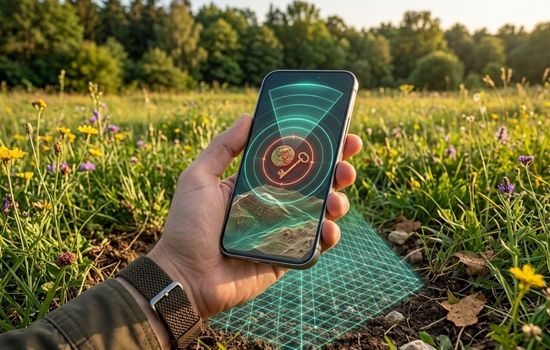
Some applications integrate augmented reality overlays that display detection information directly on camera feeds, creating an immersive experience that simplifies object location and identification.
🎯 Maximizing Detection Accuracy and Effectiveness
Achieving optimal results requires understanding proper technique. Hold your smartphone parallel to the surface you’re scanning, maintaining consistent distance and moving slowly in systematic patterns to avoid missing areas.
Begin by calibrating the app away from metal objects to establish a baseline reading. This reference point helps the app distinguish between normal background magnetic fields and metal-induced variations.
Remove phone cases, especially those containing metal components or magnetic clasps, as they interfere with sensor readings and create constant false positives that render the app useless.
Environmental Considerations 🌍
Certain environments present challenges for smartphone metal detectors. Areas with heavy electrical infrastructure, underground cables, or reinforced concrete produce strong magnetic interference that overwhelms subtle readings from small metal objects.
Outdoor detection works best in natural environments away from power lines and buried utilities. Parks, beaches, and rural areas typically provide cleaner magnetic field readings compared to urban locations.
Weather conditions rarely affect functionality directly, though extreme temperatures may impact smartphone performance generally. Wet conditions require waterproof protection for your device during beach or outdoor searches.
🆚 Smartphone Apps vs. Professional Metal Detectors
Professional metal detectors offer significant advantages including deeper penetration depth, discrimination capabilities that distinguish between metal types, and specialized search coils optimized for specific detection scenarios.
Dedicated devices also feature waterproof construction, longer battery life, and ergonomic designs suited for extended use. Serious hobbyists and professional treasure hunters inevitably invest in quality equipment when smartphone apps prove limiting.
However, smartphone apps excel in convenience, accessibility, and cost-effectiveness for casual users. The fact that you already carry the necessary hardware makes these applications perfect for spontaneous detection needs without additional equipment.
Cost-Benefit Analysis 💰
Entry-level professional metal detectors start around $100 and quickly escalate to thousands of dollars for advanced models. Smartphone apps range from completely free to modest one-time purchases under $10.
For homeowners needing occasional stud finding or DIY enthusiasts checking walls before drilling, spending hundreds on dedicated equipment makes little financial sense. Metal detector apps provide sufficient functionality at virtually no cost.
Serious treasure hunters eventually outgrow smartphone capabilities and require professional equipment, but starting with apps allows newcomers to explore the hobby risk-free before investing in expensive gear.
🔐 Privacy and Permission Considerations
Metal detector apps require sensor access permissions to function, specifically access to the magnetometer sensor. Reputable apps request only necessary permissions and clearly explain why each permission is needed.
Be cautious with applications requesting excessive permissions unrelated to metal detection, such as contacts access, call logs, or camera permissions beyond what’s needed for augmented reality features.
Read privacy policies to understand how developers handle any collected data. Quality apps typically operate entirely offline without transmitting sensor readings or location information to external servers.
🌟 Tips for First-Time Users
Start by testing your metal detector app on known metal objects to understand how it responds. Practice with keys, coins, nails, and aluminum foil to see how different metals produce varying readings.
Experiment with sensitivity settings to find the balance between detecting small objects and filtering out background interference. Higher sensitivity increases detection capability but also produces more false alerts.
Keep realistic expectations about detection depth and accuracy. These apps work wonderfully for their intended purposes but won’t replace professional equipment for serious treasure hunting or deep underground detection.
Building Detection Skills 📈
Developing proficiency takes practice and patience. Learn to recognize patterns in magnetic field readings that indicate metal presence versus environmental interference or sensor drift.
Systematic search techniques improve coverage and prevent missed areas. Move in overlapping grid patterns rather than random scanning to ensure thorough detection across target zones.
Document successful finds to build understanding of where metal objects commonly appear in different environments. This knowledge improves search efficiency and increases success rates over time.
🚀 Future Developments in Mobile Metal Detection
Smartphone sensor technology continues advancing with each hardware generation. Newer devices feature more sensitive magnetometers with improved accuracy and reduced noise, directly benefiting metal detector app performance.
Artificial intelligence integration promises enhanced object identification through pattern recognition algorithms that distinguish metal types based on magnetic signature characteristics. Machine learning could dramatically improve discrimination capabilities.
Augmented reality features will become more sophisticated as processing power increases, potentially overlaying detailed information about detected objects including estimated depth, size, and composition based on sensor data analysis.
Community and Social Features 🤝
Emerging apps incorporate social networking features allowing users to share discoveries, mark interesting locations, and collaborate on searches. Community-driven treasure maps could guide others to productive searching areas.
Leaderboards and achievement systems gamify the detection experience, encouraging engagement and rewarding consistent usage. These features transform solitary activities into connected experiences shared with like-minded enthusiasts.
💡 Creative and Unexpected Uses
Beyond conventional applications, creative users have discovered unexpected uses for metal detector apps. Artists use them to verify metal content in mixed-media sculptures and ensure proper magnetic shielding for sensitive electronic artworks.
Archaeologists and historians employ smartphone detection for preliminary site surveys before deploying professional equipment. The portability and convenience make initial assessments efficient and cost-effective.
Security-conscious individuals scan hotel rooms and rentals for hidden devices containing metal components, though this practice requires understanding that many legitimate fixtures also contain detectable metals.
🎨 Choosing the Right App for Your Needs
Evaluate apps based on your primary use case. Simple stud finders require basic functionality, while treasure hunting benefits from advanced features like data logging and graphical displays.
Read user reviews focusing on comments about accuracy, reliability, and customer support. Apps with active development teams regularly update features and fix bugs, ensuring long-term usability.
Test multiple free options before purchasing premium versions. Most quality metal detector apps offer trial periods or feature-limited free versions that demonstrate core functionality before requiring payment.
🔧 Troubleshooting Common Issues
If your metal detector app shows constant high readings, recalibrate away from metal objects and remove your phone case. Magnetic phone mounts and metal-containing accessories commonly cause persistent interference.
Erratic readings often result from moving too quickly across surfaces. Slow, steady movement allows sensors adequate time to register and report accurate magnetic field measurements.
Apps that drain battery rapidly may have background processes or display settings consuming excessive power. Adjust screen brightness, close unnecessary apps, and check for available updates addressing performance issues.
🏆 Making the Most of Your Detection Experience
Metal detector apps represent remarkable examples of repurposing existing smartphone hardware for entirely new applications. While they can’t completely replace professional equipment, they provide surprising utility for casual users and specific tasks.
The combination of zero-to-minimal cost, instant availability, and decent performance makes these applications valuable tools for homeowners, hobbyists, and curious individuals. Understanding their capabilities and limitations ensures realistic expectations and satisfying results.
Whether you’re hanging artwork, searching for lost jewelry, or simply exploring the hidden metallic world around you, metal detector apps transform your smartphone into a versatile detection tool that’s always ready when you need it.
Download a quality metal detector app today and discover the fascinating magnetic landscape surrounding you. You might be surprised by what you find hidden just beneath the surface of everyday environments. Happy detecting! 🔍✨
